Filimin Friendship Lamps

What are Friendship Lamps?
Filimin Friendship Lamps are IoT devices that come in pairs and change color when touched. When one lamp changes color, the other lamp connected to it changes to the same color. They are set up and managed through an online portal.
Project Brief
Filimin tasked us with improving the onboarding experience for Friendship Lamp users. The onboarding process was accessed through their website which had multiple downsides for mobile users.
Roles & Responsibilities
Co-Lead on a team of eight UX Design students, working with FIlimin.
Led the creation of the user flow chart and did secondary research.
Did two Observations, two Interviews, and one Teachback Test.
Led many team meetings and workshops.
Contributed sketches, wireframes, and high fidelity prototypes of one portion of the setup process.
Create a prototype of a redesigned setup process to help Friendship Lamp users who have little experience setting up and using IoT devices.
Project Duration: 3 months Project Type: College Project
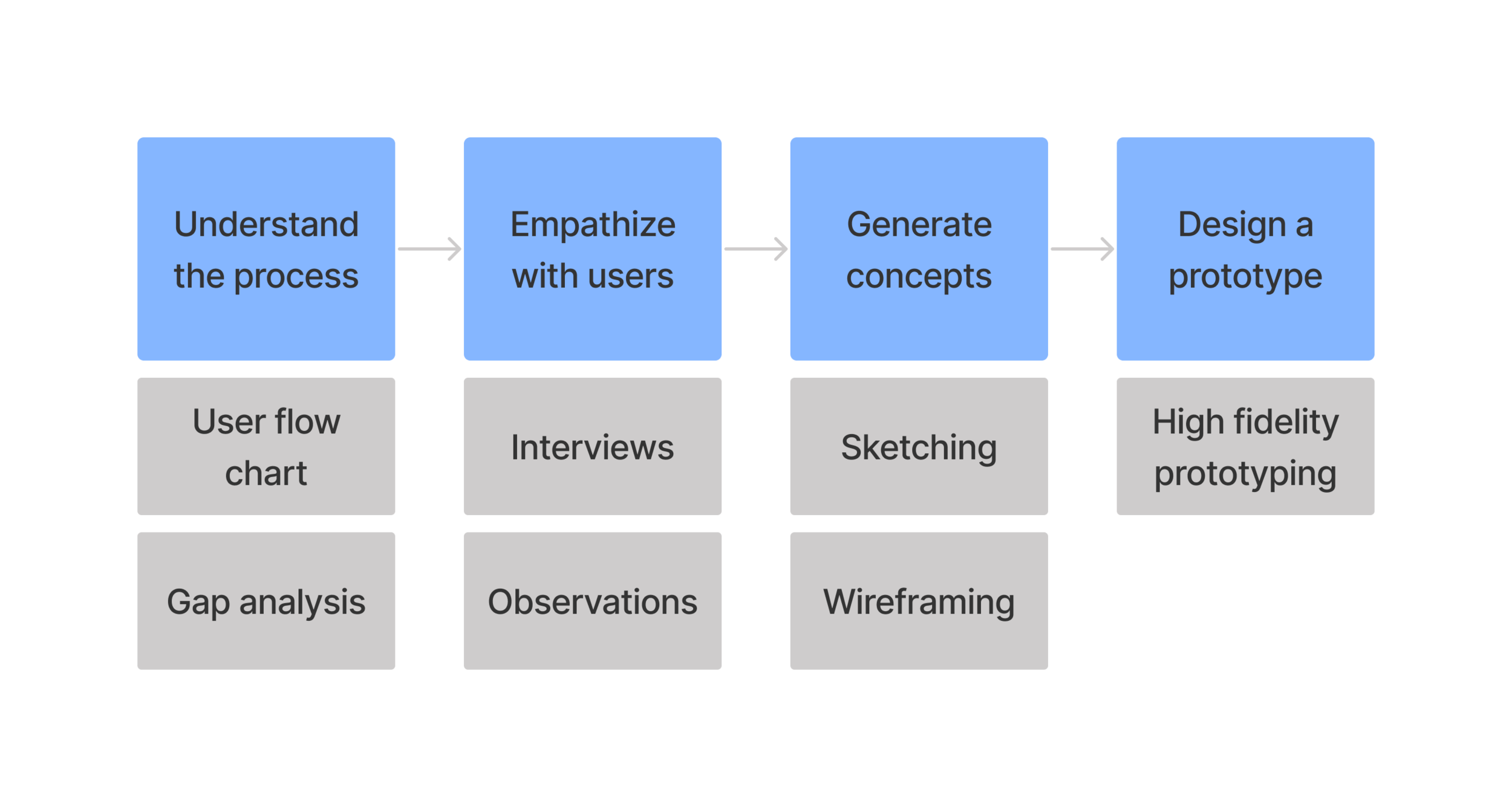
Overview of our process including the most important activities. Other activities not included here are: literature review, competitive analysis, affinity diagramming, personas, user testing, and heuristic analysis.
User Flow Chart
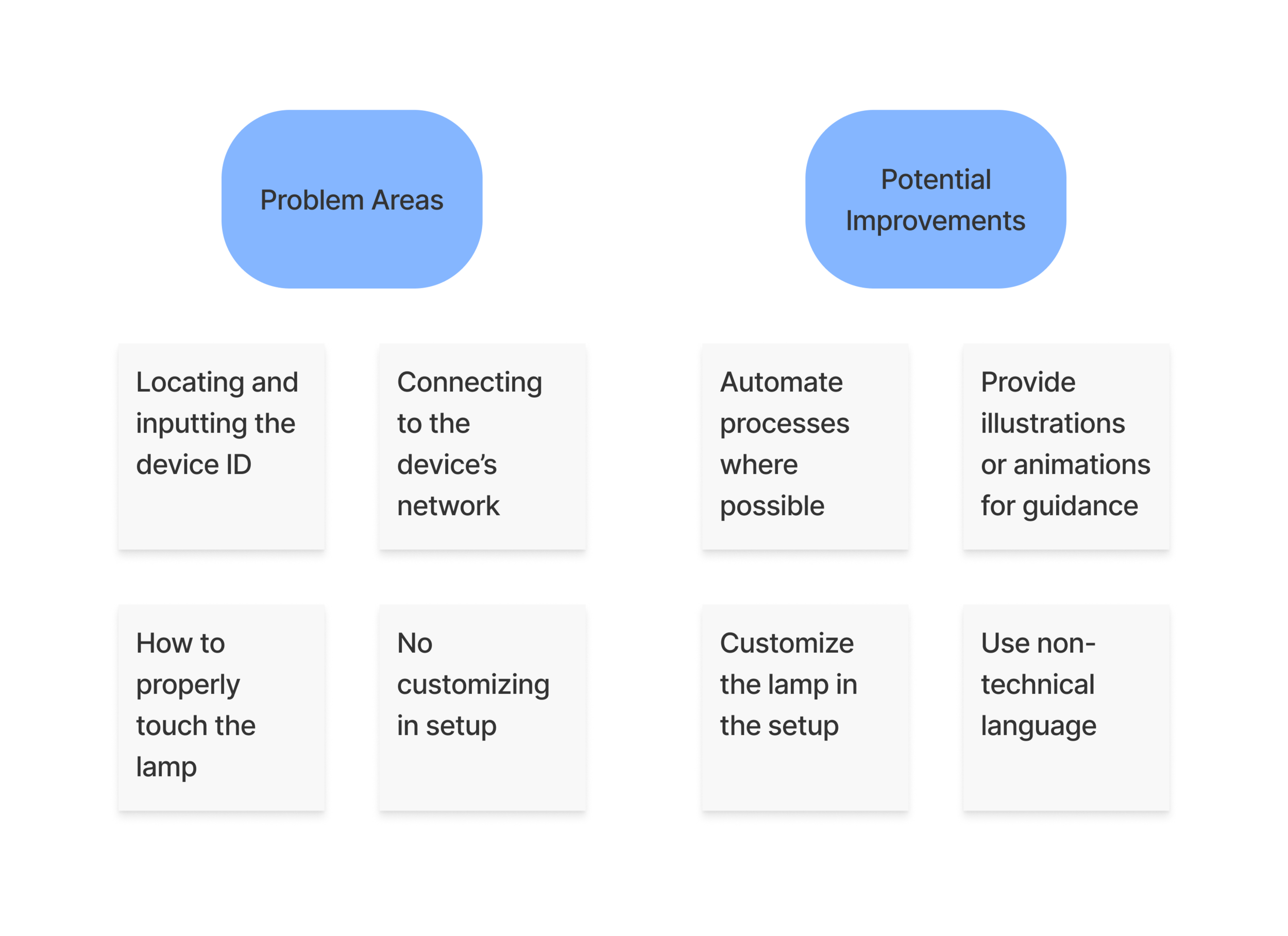
A user flow chart helps us understand the current setup process, identify where it may be too complicated for the user, and identify where potential improvements could be made.
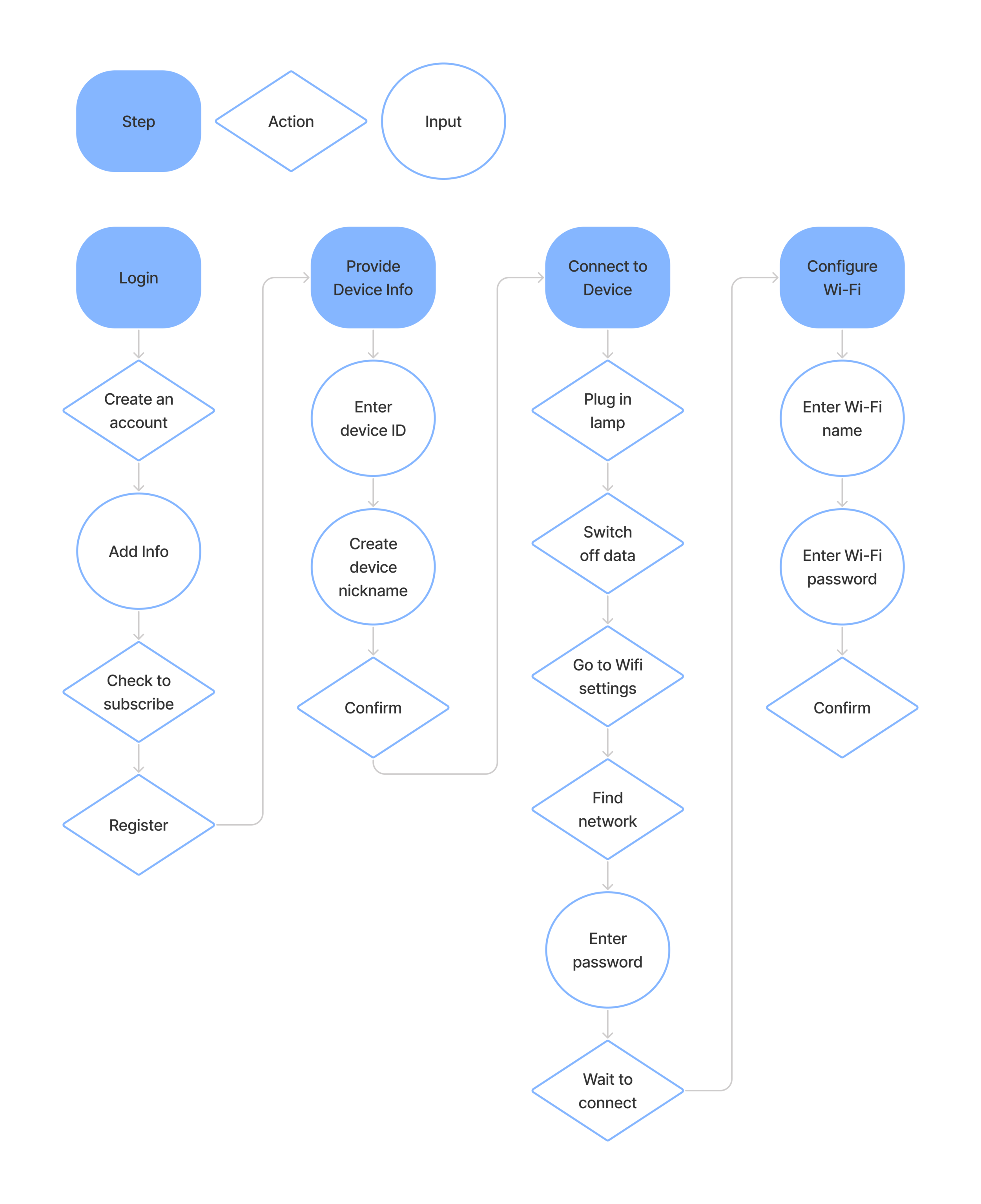
The User Flow Chart allowed us to identify problem areas in the process that we could look into further in our research and determine where improvements could be made.
Interviews & Observations
Using these problem areas we identified from our flow chart, we interviewed customers to see if they had these issues and targeted these areas for our observations.
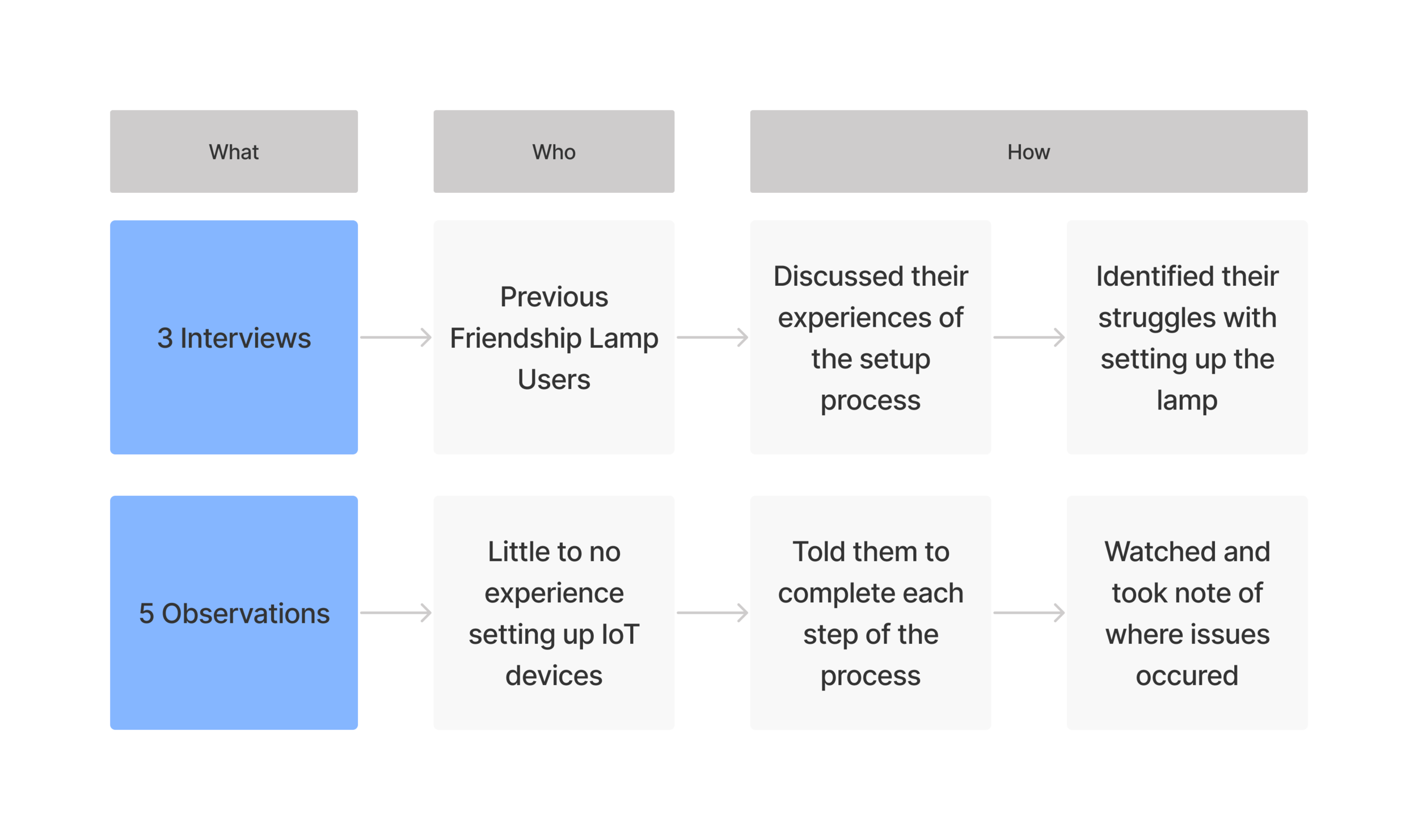
The insights we gathered from our interviews and observations confirmed the problem areas we identified from our flow chart and helped us better understand how our users felt about the setup process.
“The [setup] process wasn’t clear from the beginning, it just seemed like some instructions were missing and there wasn’t enough detail.”
“I don’t know where to go [in phone settings] to connect to the lamp. The instructions told me to find the Filimin network but I don’t know where that’s at.”
Sketching, Wireframing, & Prototyping
Insights gathered from our primary research helped us generate ideas to improve the setup process and begin designing concepts.
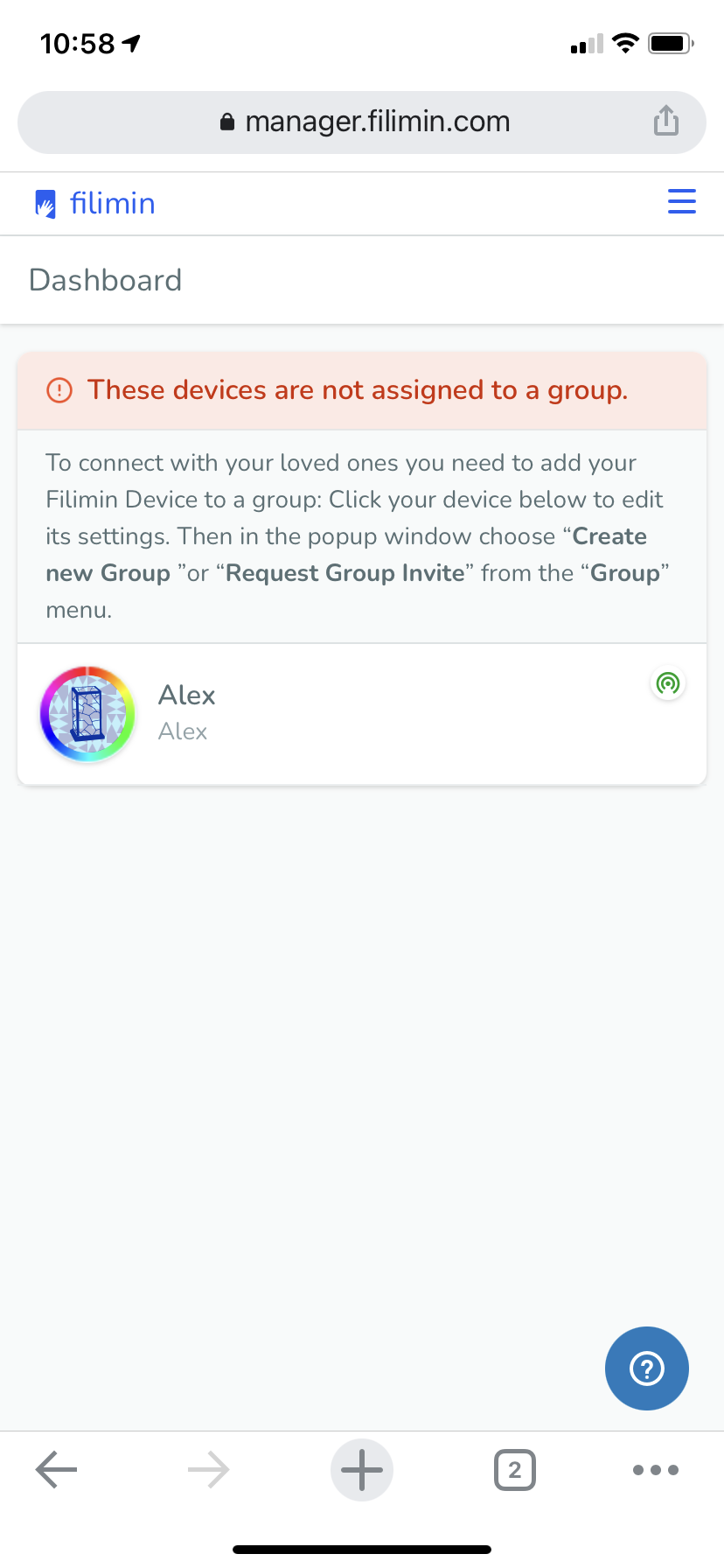
Original Setup
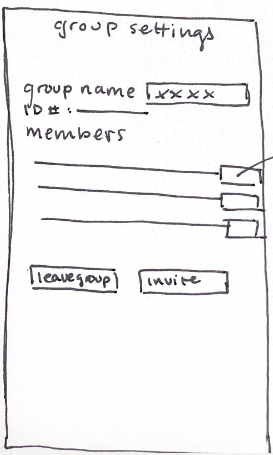
Sketch
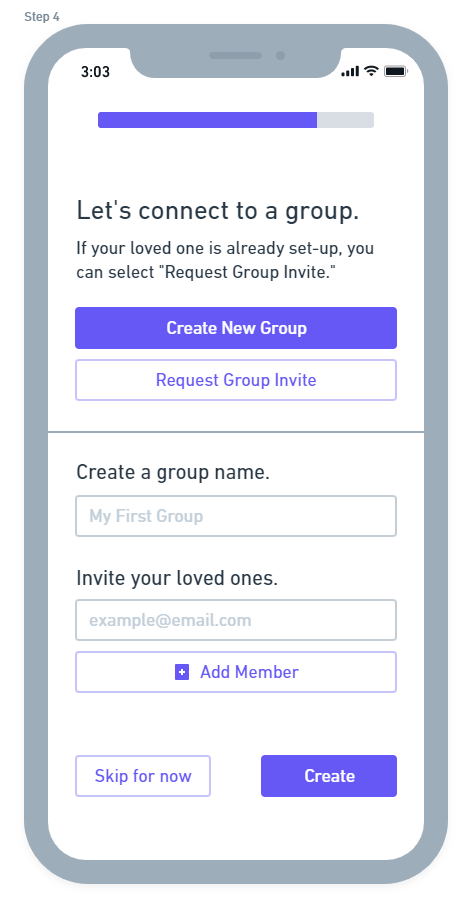
Wireframe
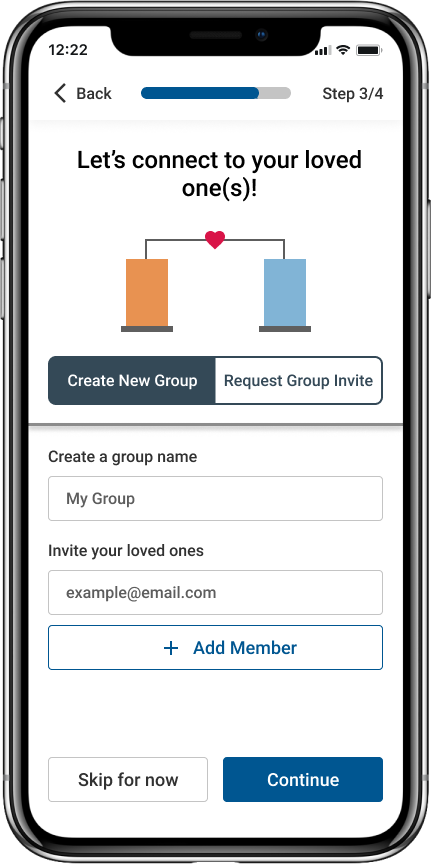
High-Fi Prototype
High Fidelity Prototyping (in Figma)
High Fidelity Screens established a realistic experience to share with developers at Filimin for production.
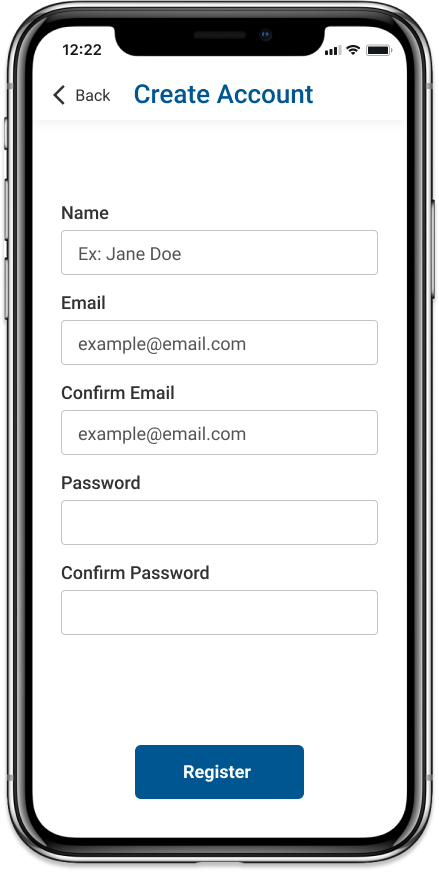
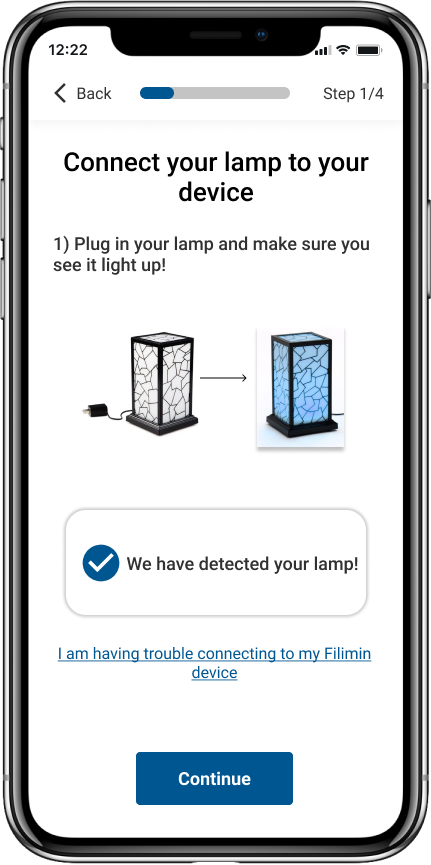
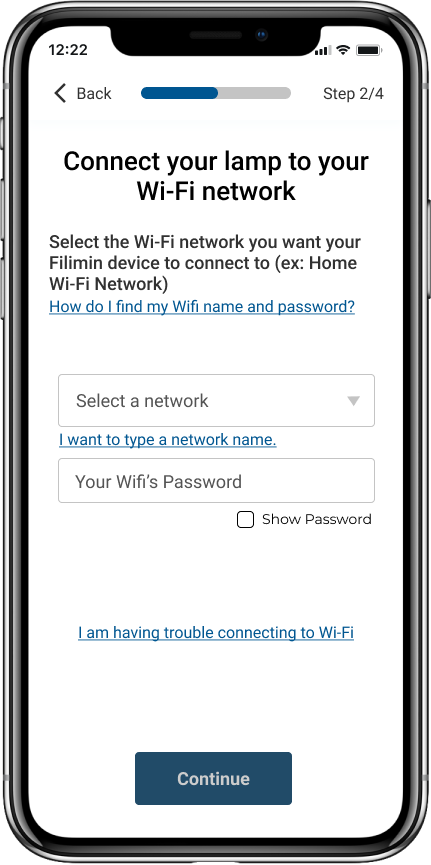
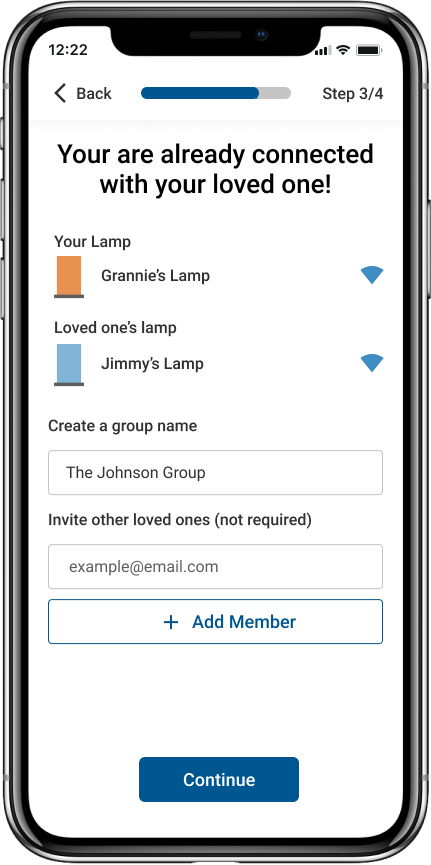
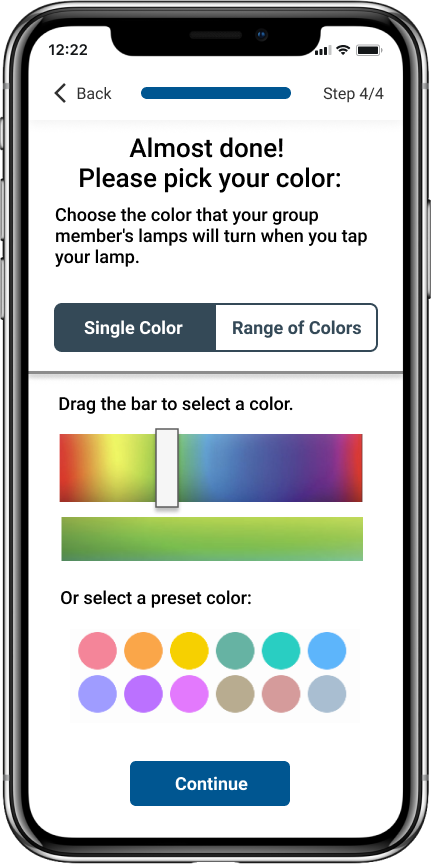
All setup screens needed to be simple, concise, include visuals, be automated where possible, and include ways for users to get additional help if they need it.
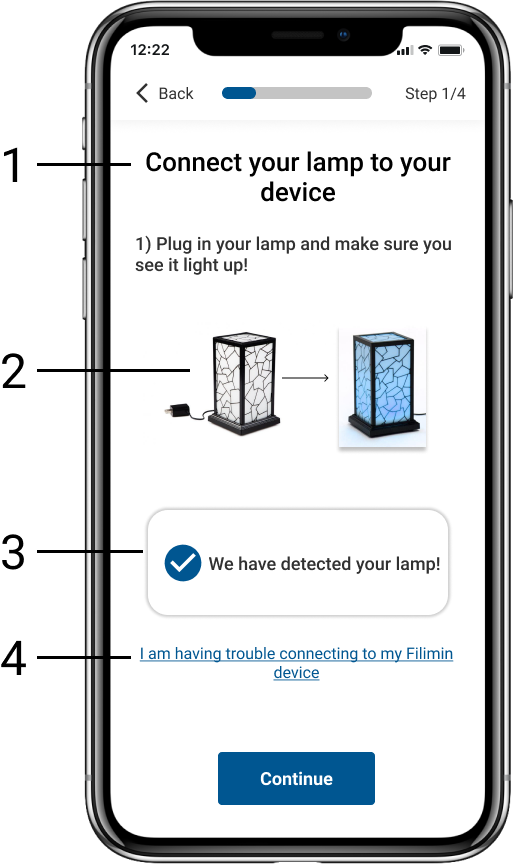
A concise title and explanation help the user better understand what it is they need to do.
Visuals provide more detail for the user to see what they’re supposed to do and what should happen.
Automation reduces the number of steps the user has to take and Filimin developers confirmed that automation was possible for this step.
Additional help links provide the user with a way to get more information when something goes wrong in the setup process.