Designing In-App Surveys for an Enterprise Customer
Role
Product Designer
Accelerating a high-value survey distribution feature to support a major enterprise deal
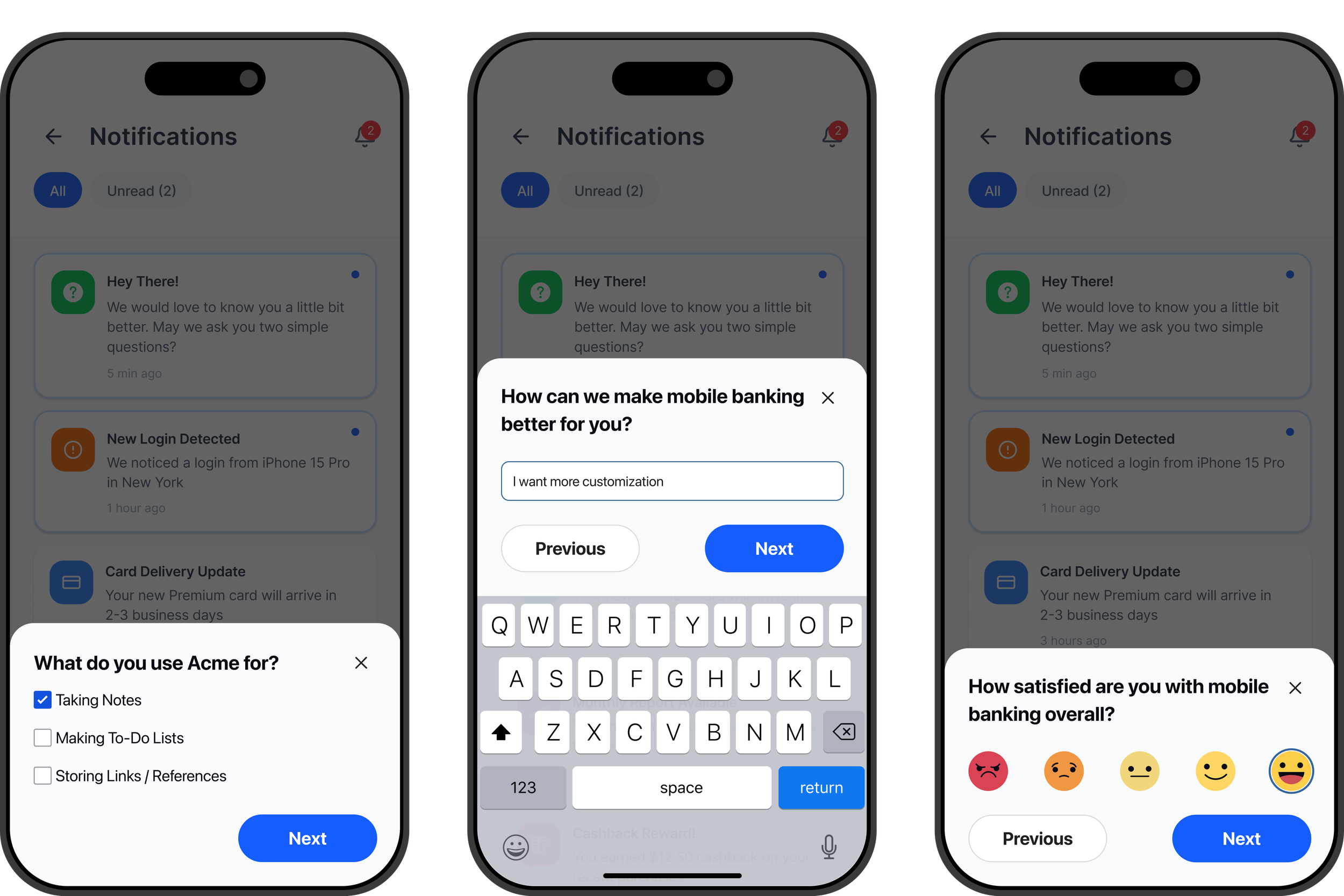
A prospective enterprise customer required a survey distribution capability that wasn't yet available in the platform. Although this feature already existed on the roadmap, it was prioritized to support a deal in the $250k - $350k range. As the sole designer responsible for Customer Feedback Management (CFM) distribution features, I led the end-to-end design effort while modernizing existing workflows along the way.
Team
Product, Engineering, AI, Design Leadership, QA
Responsibilities
UX Research, Prototyping, Design System, Dev Handoff
Timeline
2 Months
Balancing Business Goals with User Needs
“I expected a website feedback option, but ‘Live Chat Application’ made me think I was in the wrong place.”
Designing beyond the feature request to improve an existing experience
The immediate objective was clear: deliver the requested distribution feature. However, I saw an opportunity to improve the broader distribution experience instead of simply adding another workflow.
Rather than treating the feature as an isolated request, I evaluated how it fit into the existing product and identified opportunities to simplify patterns users already interacted with.
From a recent interview I discovered that the setup interface did not align with user’s mental models.
How might we
How might we improve existing patterns while adding new features and supporting all user groups?
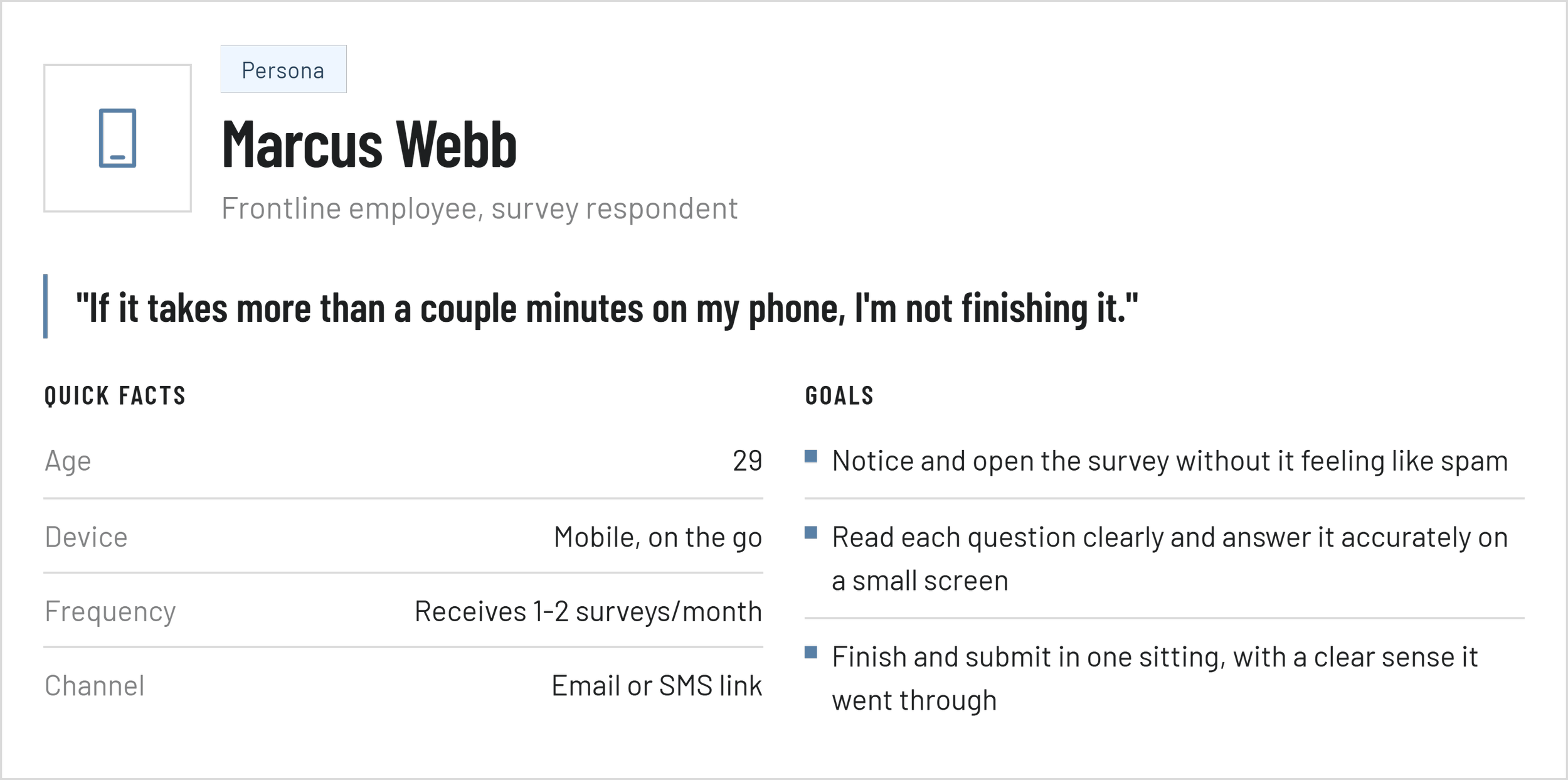
Designing for Two Very Different Users
Unlike many projects with a single audience, this feature required designing two interconnected experiences. Each experience had different goals, constraints, and success metrics, so understanding both journeys was essential before designing interfaces.
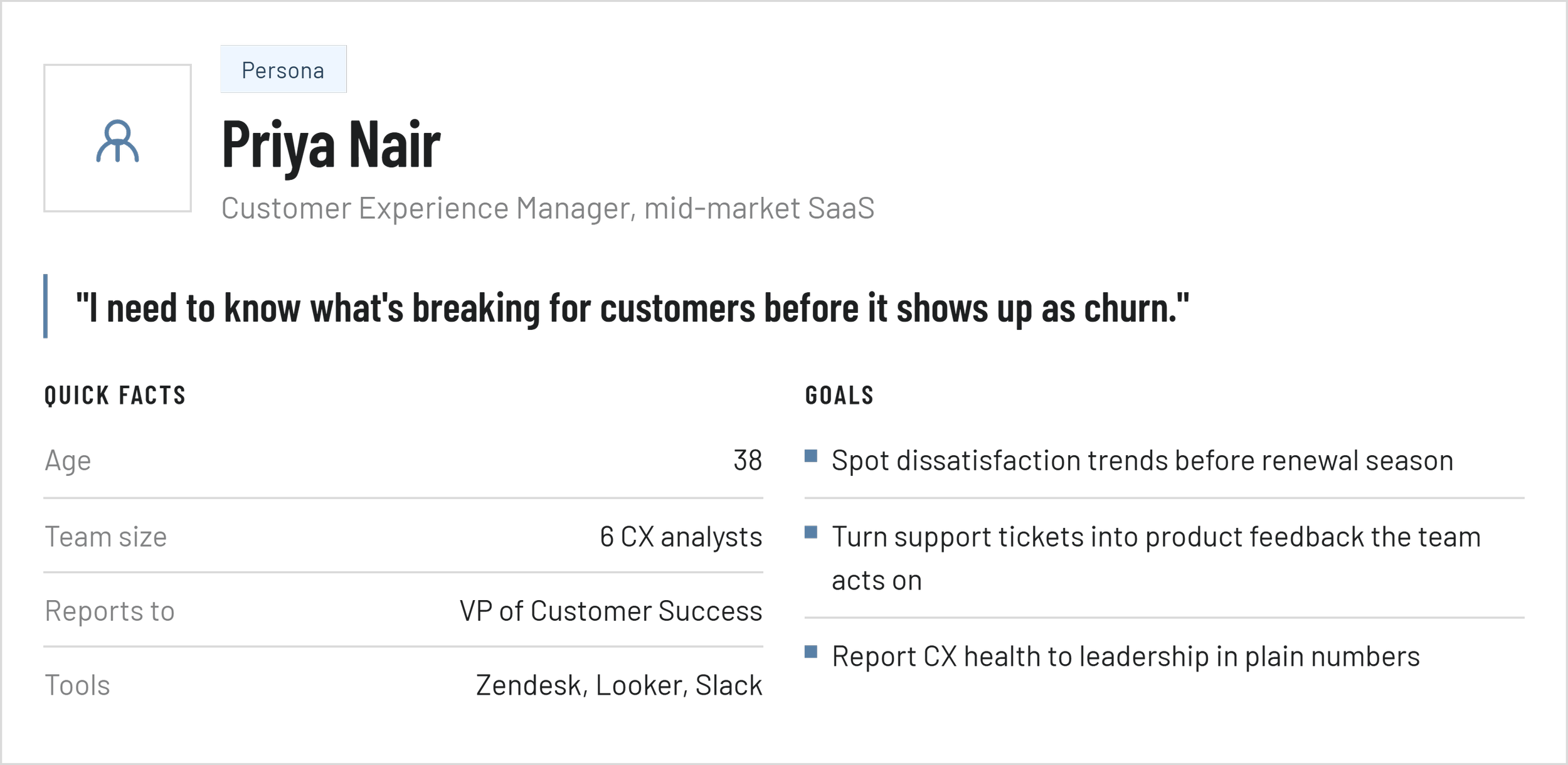
Survey Creator
Configure Distribution
Select Recipients
Manage Delivery
Review Reporting
Survey Respondent
Receive Survey
Complete Survey on Mobile
Submit Responses Quickly
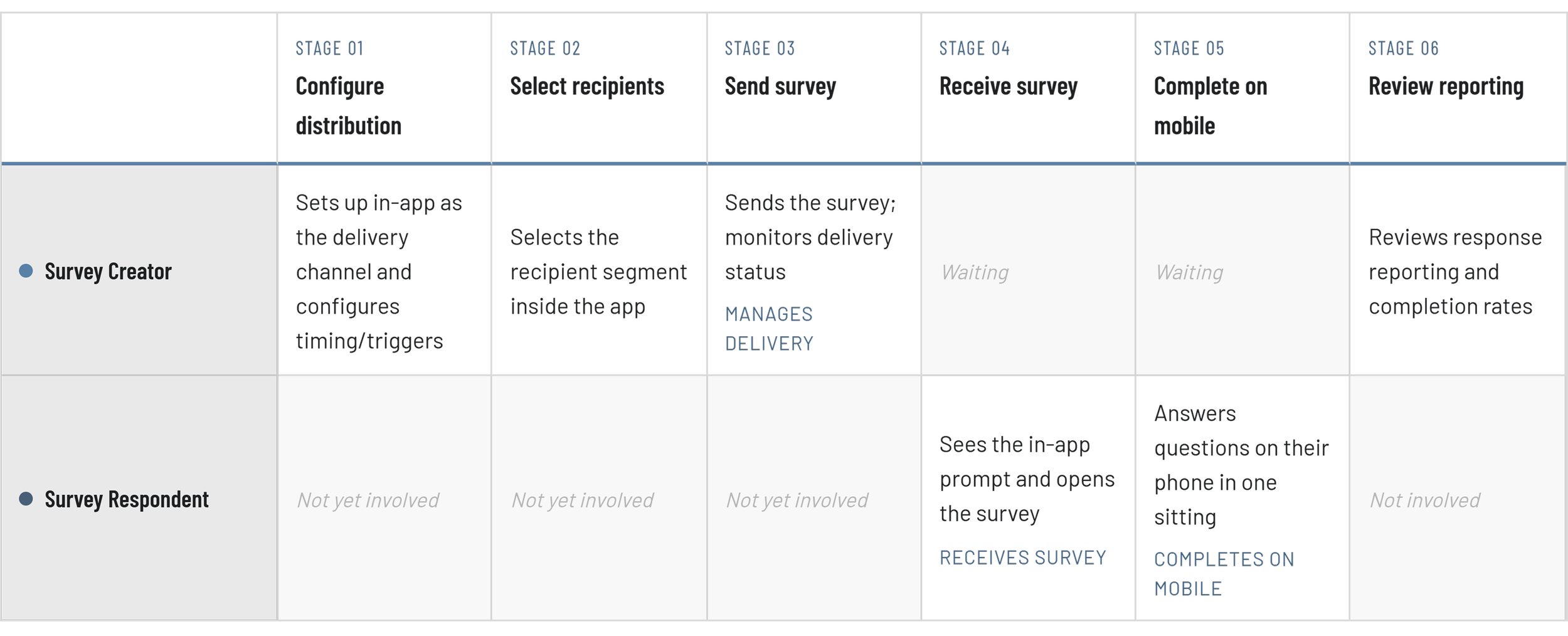
Connecting the End-to-End Experience
Friction Points
Creator can’t preview exactly what the in-app prompt looks like on a respondent’s device before sending
Respondent may dismiss the in-app prompt if it interrupts their current task
Creator has no visibility into delivery until reporting, not in real time
Opportunities
Live preview of the in-app prompt during distribution setup
Smart timing that avoids interrupting active respondent sessions
Delivery status visible to the creator as it happens, not only after
Tracing the full survey distribution workflow before designing screens
Before moving into UI, I created a user journey to understand every touchpoint across both user types.
Mapping the full workflow helped identify dependencies early and ensured the feature felt cohesive from configuration through reporting. It also helped me spot friction points and ways to resolve them.
Accounting for Enterprise Surveys
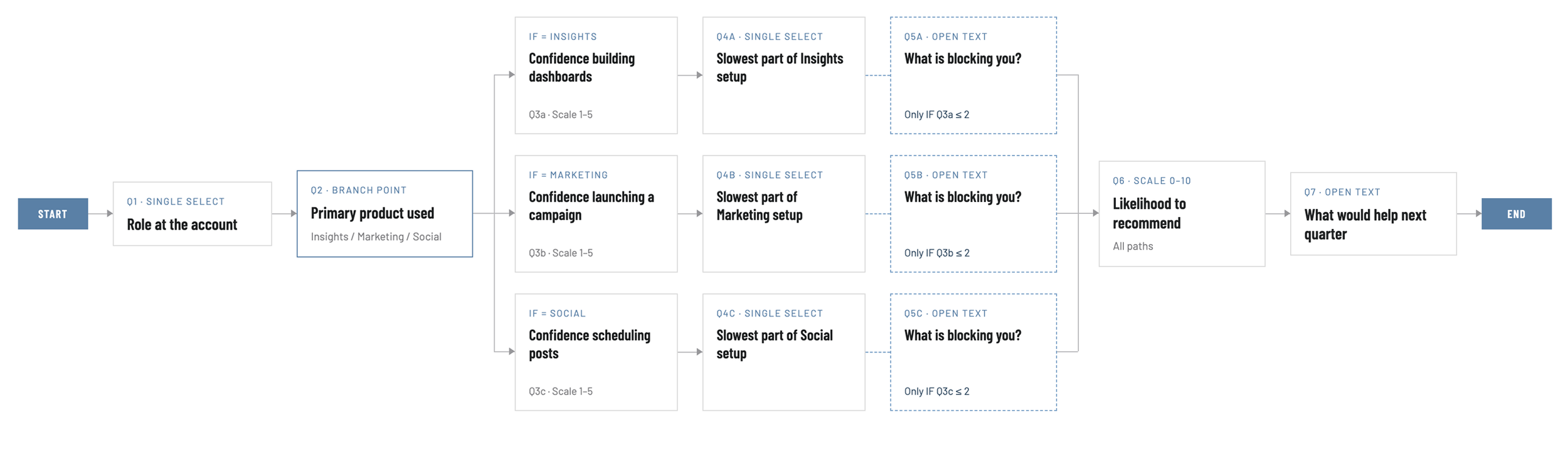
When an enterprise sends out a survey, they may want to get feedback across multiple products or features. This starts creating branched flows where someone may want to give feedback on one product, while someone else gives feedback on a different product. Not only do we need to account for this customization in our survey builder through logic, but make sure this flow works for respondents.
Using Insights to Improve Existing Patterns
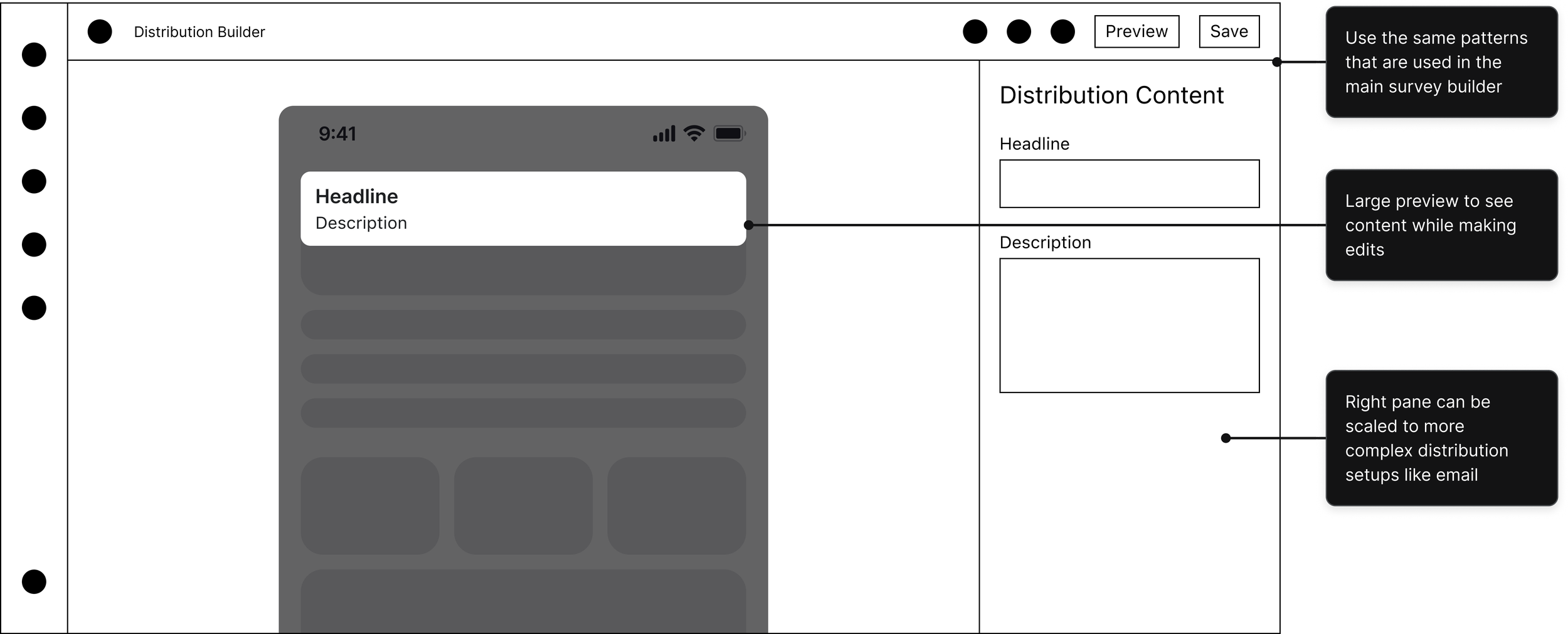
With the workflow established, I explored concepts through sketches, wireframes, and high-fidelity prototypes. Rather than replicating older interaction patterns, I worked with Product and Engineering to refine existing components and introduce more consistent design patterns where they improved usability.
User Journey
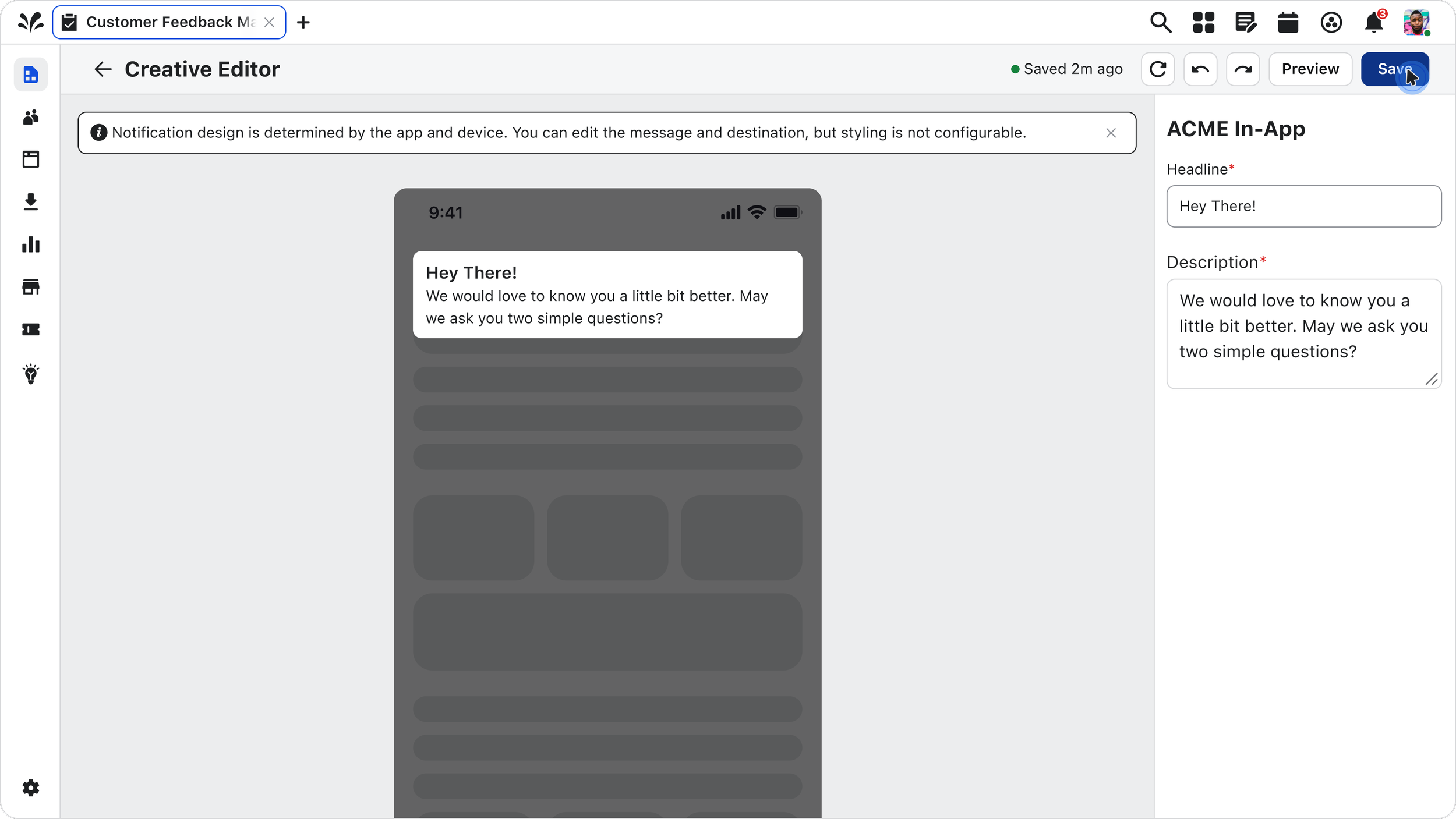
It was clear that a live preview showing exactly what the respondent will see is important. Previously we were using a form with a small preview, where users had to go to a separate preview page to see the full layout.
User Interview
A user was getting blocked on distribution setup due to a label that wasn’t descriptive enough. The form was built using nomenclature that our internal team was familiar with, but confusing to end users.

Building Alignment Across Teams
Throughout the project, I partnered closely with Product, Engineering, and Design Leadership to balance business priorities, technical feasibility, and user experience.
Defining project scope with Product
Refining the experience with Design Leadership
Defining project scope with Product
Preparing production-ready prototypes for handoff
Survey Creator
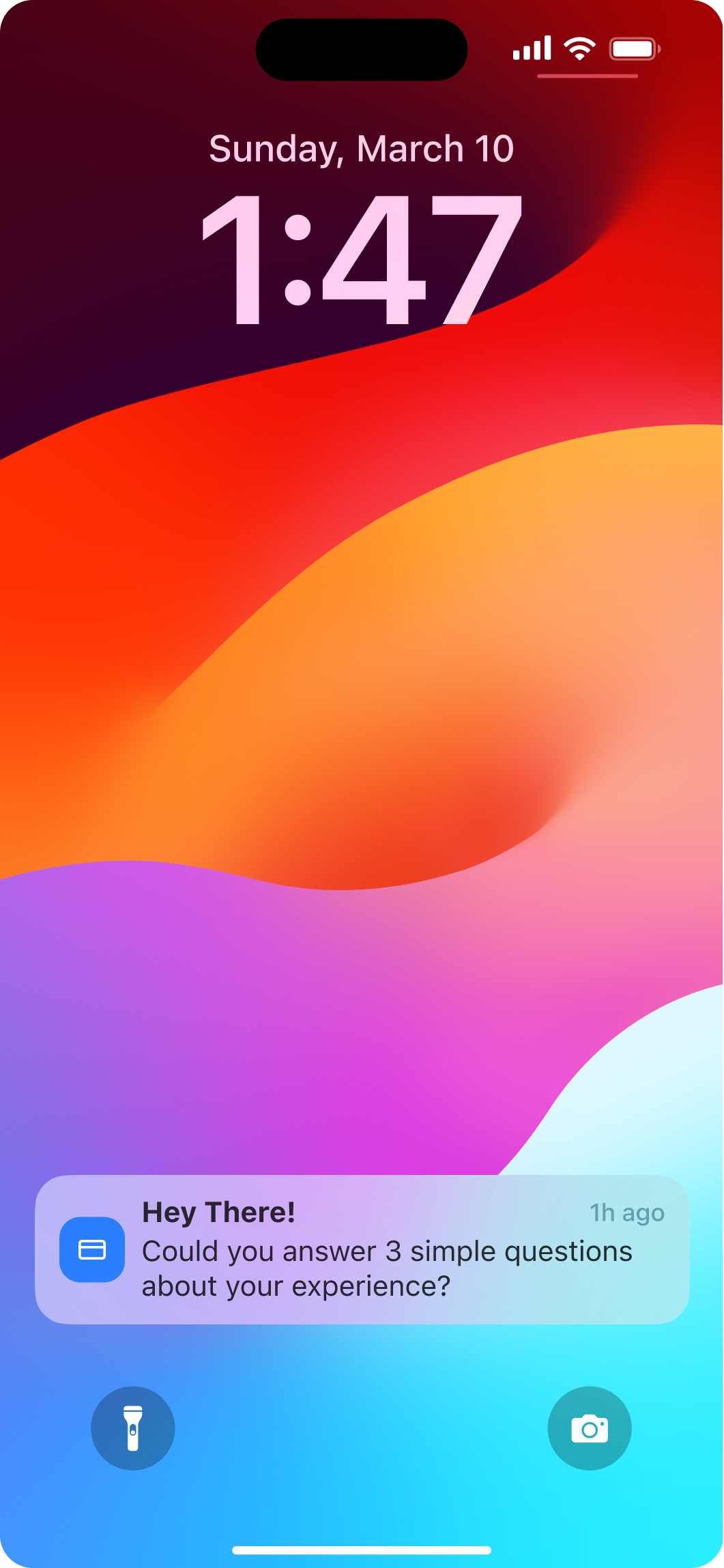
Survey Respondent
From Request to Enterprise-Ready Feature
The feature has been handed off for development and is helping support a potential enterprise deal in the $250k - $350k range.
Substantial business impact:
$250k - $350k enterprise deal unblocked by delivering this capability
At the same time, I was able to design for user needs to create a better experience.
The Takeaway
Designing this feature reinforced the importance of balancing business priorities with user needs. While the project began as a customer request, treating it as an opportunity to improve the overall distribution experience resulted in a more cohesive solution that benefits both enterprise customers and future product development.
Other Relevant Case Studies
Replaced an outdated distribution builder with the same patterns used in the core survey
Fixed a mental-model mismatch in setup labeling flagged directly by customers
Set the interaction patterns now used for future distribution features