In-Platform Support Assistant
Role
Product Designer
Integrating Sprinklr’s Knowledge Base Into a Contextually-Aware Assistant
Sprinklr is a large platform, and learning it meant leaving it. When users got stuck, they opened the knowledge base in another tab, guessed at search terms, and read a full article to find one sentence that applied to them. Many gave up and filed a support ticket instead.
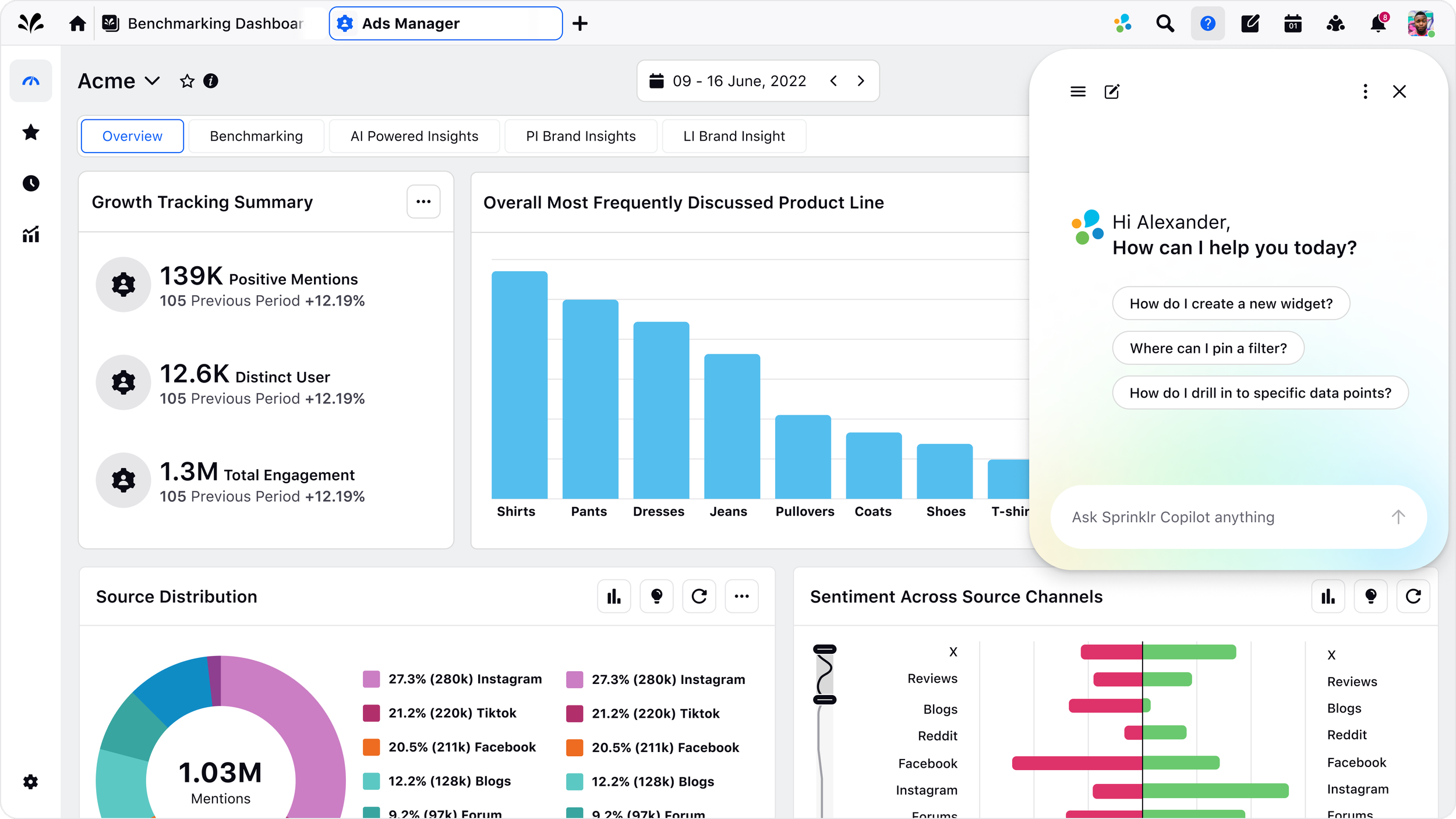
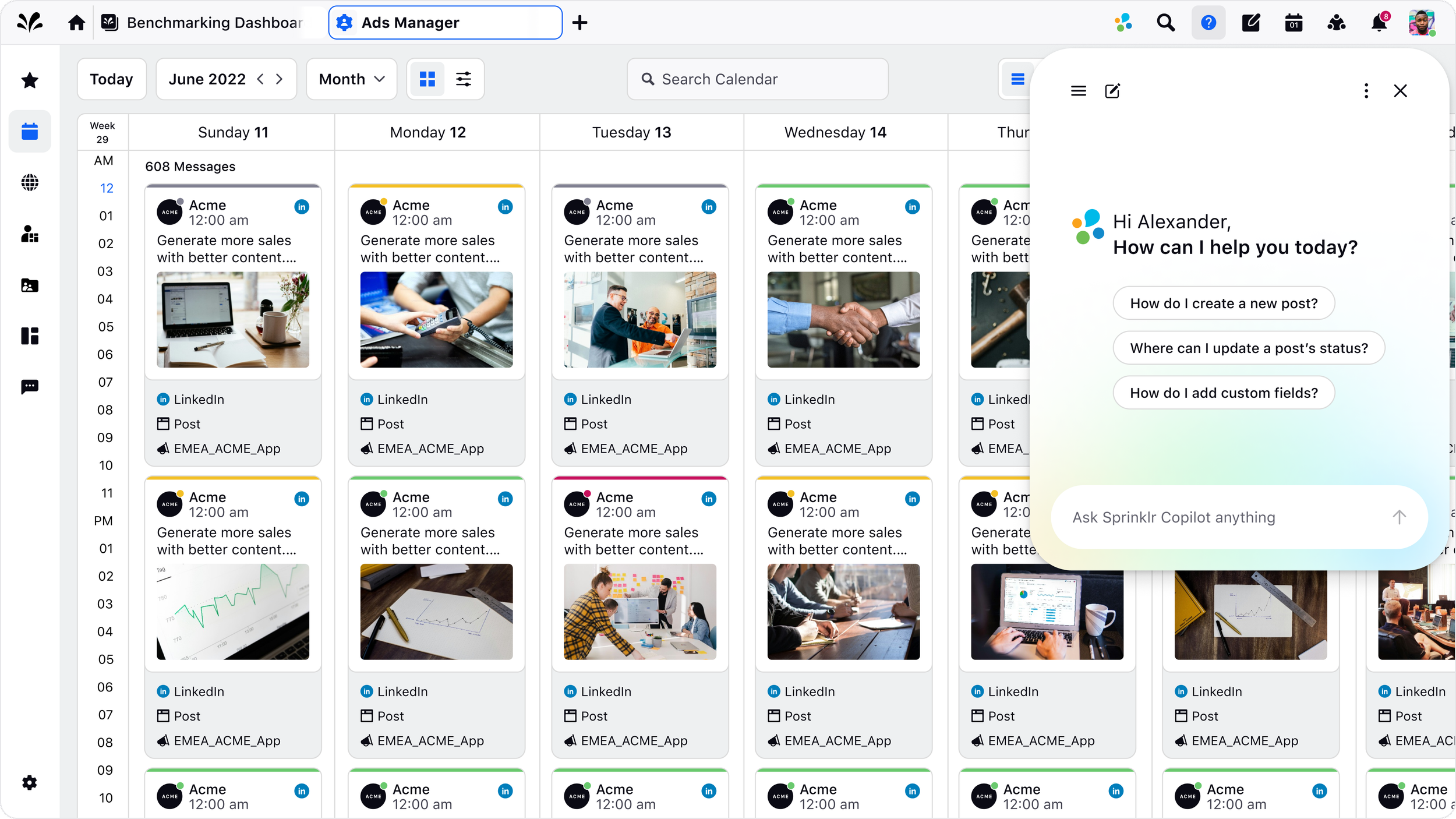
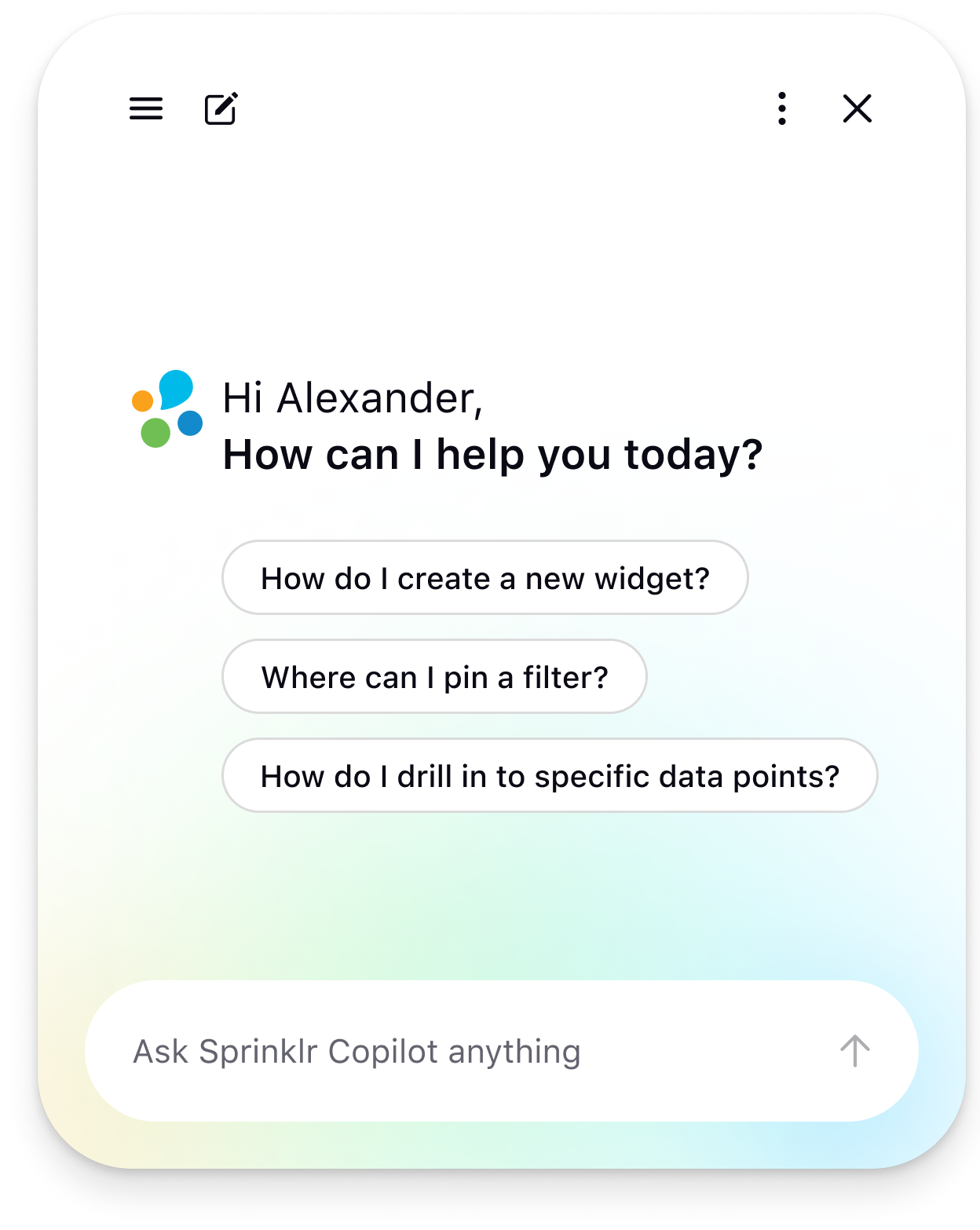
I designed a support assistant that lives in the universal navigation, available from anywhere in the platform. Users ask a question in their own words and get an answer with visible sources. The assistant knows where they are, so a user inside a dashboard gets different starting prompts than a user inside settings.
Team
Product, Engineering, AI, Design Leadership, QA
Responsibilities
UX Research, Prototyping, Design System, Dev Handoff
Timeline
3 Months
Three Things Were Failing At Once
1
The knowledge base assumed users knew what to search for. People experiencing a problem rarely have the vocabulary the documentation uses. A user who cannot get a widget to display data does not search for the term the docs use for that concept.
2
Help lived outside the product. Reading an article in another tab and then returning to apply it meant holding steps in memory while switching contexts.
3
Support absorbed the overflow. Tickets were being filed for questions the documentation already answered, which is expensive for the company and slow for the user.
Constraints
The assistant had to work across every module of a very large platform, with wildly different content depth per area.
Answers were only as good as the underlying knowledge base, which was uneven.
Enterprise customers have expectations about what an assistant can see and log.
It had to fit into the universal navigation without competing with everything already there.
How might we
How might we create an experience that supports users and is contextual?
Turning insights into a direction
Meet users where they are
Help should be available without requiring users to leave their workflow.
Understand the user's intent
Users should be able to ask questions naturally rather than learn documentation terminology.
Give users an actionable answer
The assistant should help users understand what to do, not simply point them toward an article.
Make AI answers verifiable
Users should be able to understand where an answer came from.
Users weren't looking for documentation, they were looking for answers.
To understand where the existing support experience was breaking down, I looked at how users sought help when they got stuck. The biggest challenge wasn't a lack of information, it was the effort required to find the right information. Users had to translate their problem into the terminology used by Sprinklr's documentation, search through potentially relevant articles, and then return to the product to apply what they found.
This revealed an opportunity to move support closer to the user's workflow: instead of asking users to find the answer themselves, the assistant could understand their question, surface the relevant information, and help them take the next step.
Define A Good Answer Before Designing A Screen
The first working session was not about layout. It was about what the assistant is allowed to return, agreed with product and the AI team, because the answer format determines every state that follows.
Return type 1
A direct answer
The question has one factual response.
Return type 2
Steps to follow
Procedure, read while acting in the product.
How it was tested
Clickable prototypes with scripted answers, run against real questions pulled from ticket history, so the flow was tested against the language users actually use rather than the language the docs use.
Return type 3
A pointer
The right place in the product, not an article.
Return type 4
An escalation
No confident answer exists. Hand to a human.
What surprised me
Users trusted a short answer with two sources more than a longer, more complete answer with none. Completeness was not the thing being asked for.
Designing for Failure
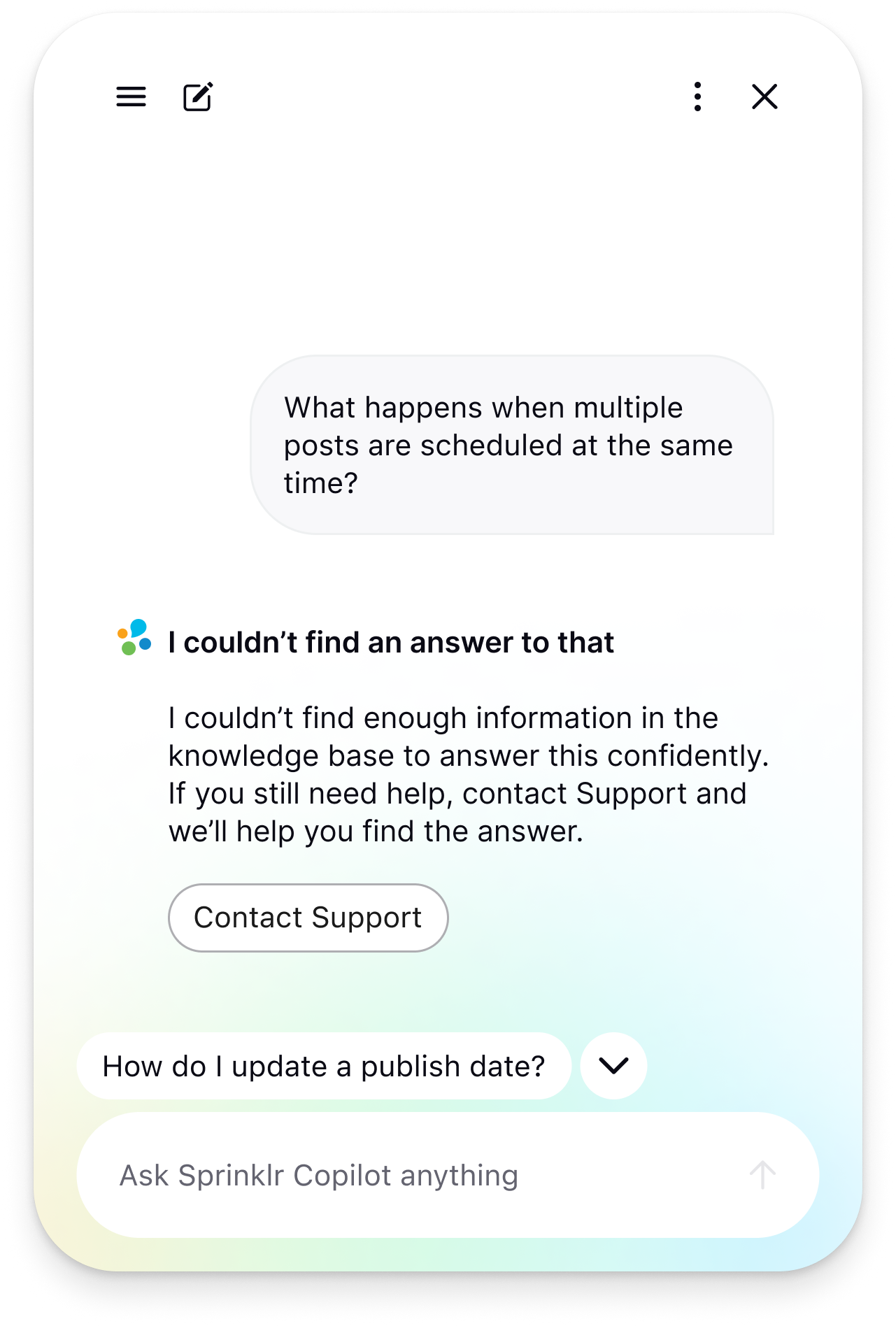
What happens if there’s not an answer available?
What if the user is asking something outside the scope?
How do we escalate to the support team?
Designing a trustworthy AI support experience
AI doesn't always have the right answer, especially when supporting a complex enterprise platform.
I designed the experience to remain useful and transparent across both successful and unsuccessful interactions, giving users clear answers when possible and a clear path forward when the AI couldn't help.
Design Decisions That Shaped The Experience
Context-aware starter prompts, not a blank input
A blank input asks the user to do the hardest part themselves: naming the problem in the product's language. Starter prompts do that translation, and they teach people what the assistant can do. They also recover the proximity lost in decision 1.
What it cost: Anchoring. Prompts narrow what people think they are allowed to ask, so the free-form input stays visibly primary rather than decoration under a list.
Synthesized answers with visible sources
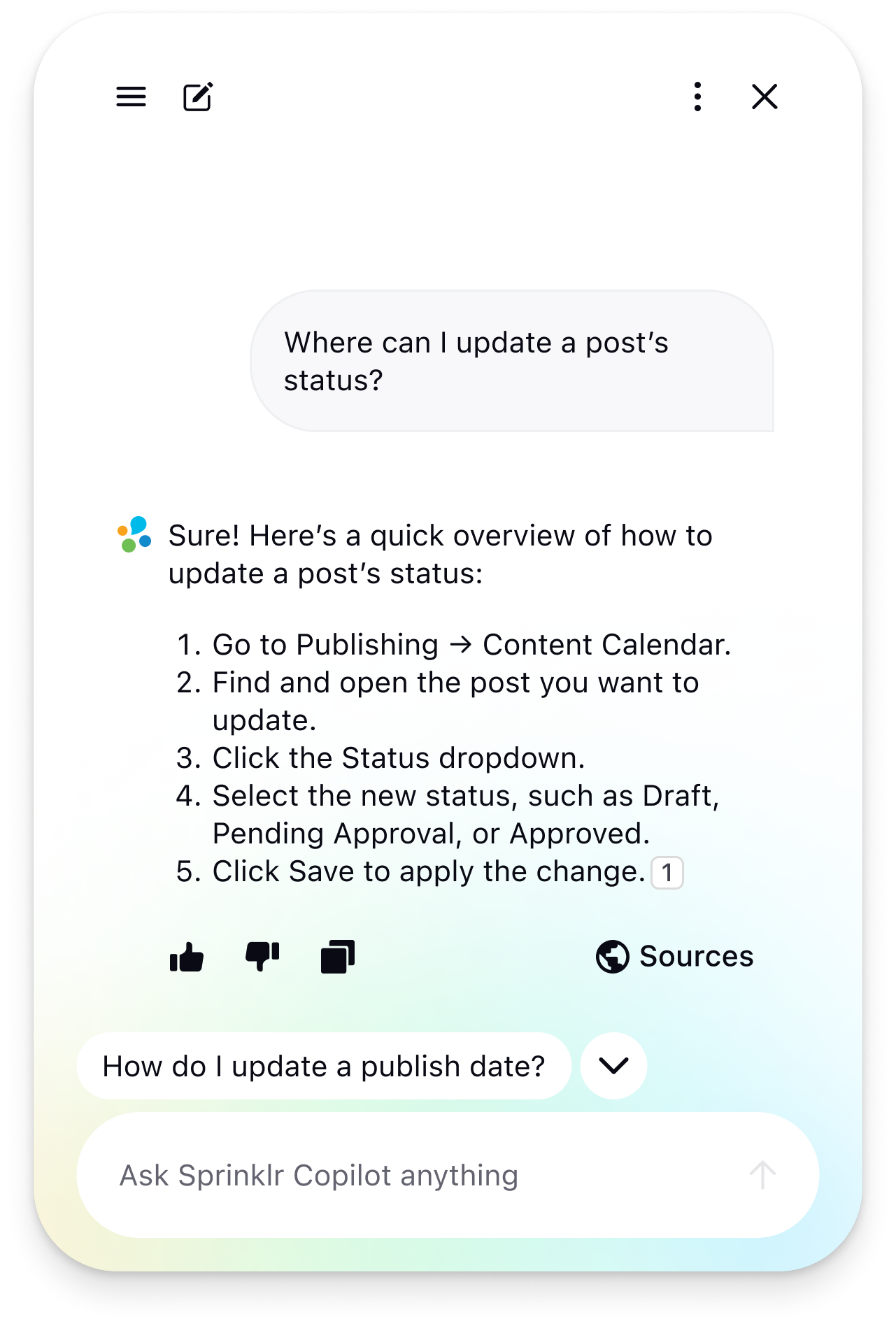
Rather than returning a ranked list of help articles or giving users an answer with no context, the assistant synthesizes relevant information into a direct response and surfaces the sources it used.
What it cost: Longer, denser responses. Sources sit at the end and expand on demand rather than interrupting the answer.
A persistent global entry point, not contextual help per screen
Per-screen help does not scale across a platform this large, requires every team to maintain its own content, and only covers confusion someone anticipated. One entry point is learnable once and works everywhere, including the cases nobody predicted.
What it cost: Distance from the moment of confusion. Decision 2 exists to recover it.
Module-level context only, for v1
Deeper context makes better answers and raises real questions about data handling, logging, and what enterprise customers will accept. Module level is enough to pick the right starter prompts and route retrieval, without sending customer data into the loop.
What it cost: The assistant cannot answer "why is this widget empty" about the specific widget on screen. It answers the class of question, not the instance.
A More Helpful, Trustworthy Way to Get Support
The new assistant brought help directly into Sprinklr, giving users a faster way to find answers without leaving their workflow. By combining conversational answers with relevant sources and clear paths forward when the AI couldn't help, we created a support experience designed to be both useful and trustworthy.
To validate the experience, we gathered qualitative feedback from users testing the new assistant and used their feedback to refine how it answered questions, surfaced context, and handled uncertainty.
“Being able to get direct answers has helped a lot, especially when I’m working with new clients”
What This Project Taught Me
Designing a support assistant showed me how much of an AI experience is shaped by the interaction around the model itself. The challenge was not simply giving users an answer, but helping them feel confident about what they were given and what to do next.
I learned that small details, such as providing relevant context, showing supporting sources, and being transparent when the assistant could not help, can have a significant impact on the overall experience. These decisions helped me think more intentionally about how AI can fit into complex products while still giving users the clarity and control they need.